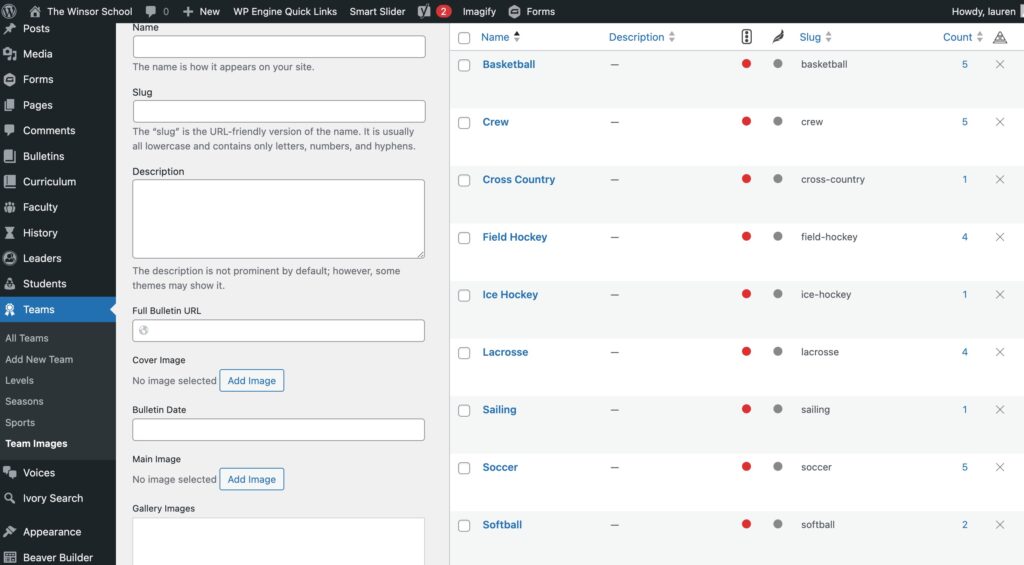
Team Images Team images can be added / edited under “Teams”
Refer to the Image Sizes Instructions to ensure your team images are the proper dimensions.
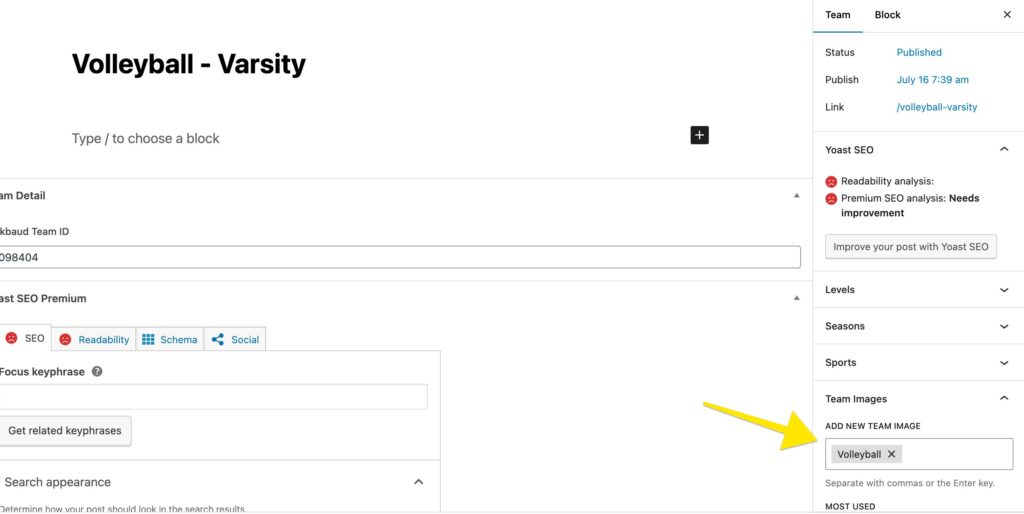
On the Team page, type the title of the images (ex: Volleyball) in the Team Images section on the right
View Video:
Troubleshooting:
Is the image assigned to a team? Make sure that team images are properly linked to the corresponding teams. (see Team Image instructions)
Is there an image under the Team Image? Edit the sport image category and see if there is a photo file. Refer to Image Sizes to make sure they are sized properly.
Additional Clean-Up
Identify Duplicate Team Image Categories
Go into the team images section and look at all categories. For example, you might find multiple categories for baseball. Check if some categories have no images associated and delete them (a “0” under count)
Instead of creating new image categories, update the existing team images. This ensures proper association with teams.
Check if the right image is associated with the current team and if it represents the current season.
Is the team published? Some teams are not visible because they are in draft status. If a team is in draft status, confirm if it should be published.